
Sunlet press kit
Everything you need to write about Sunlet: a description to paste, screenshots, logos, platforms, plans and the facts.
Writers reviewing Sunlet can get a free account with the Assistant unlocked. Email us
About Sunlet
Use any of these as they are, or edit them to fit. Sunlet is written with a capital S in prose.
In one line
Sunlet is a calm, simple to-do list and day planner with an AI assistant.
Short description (about 50 words)
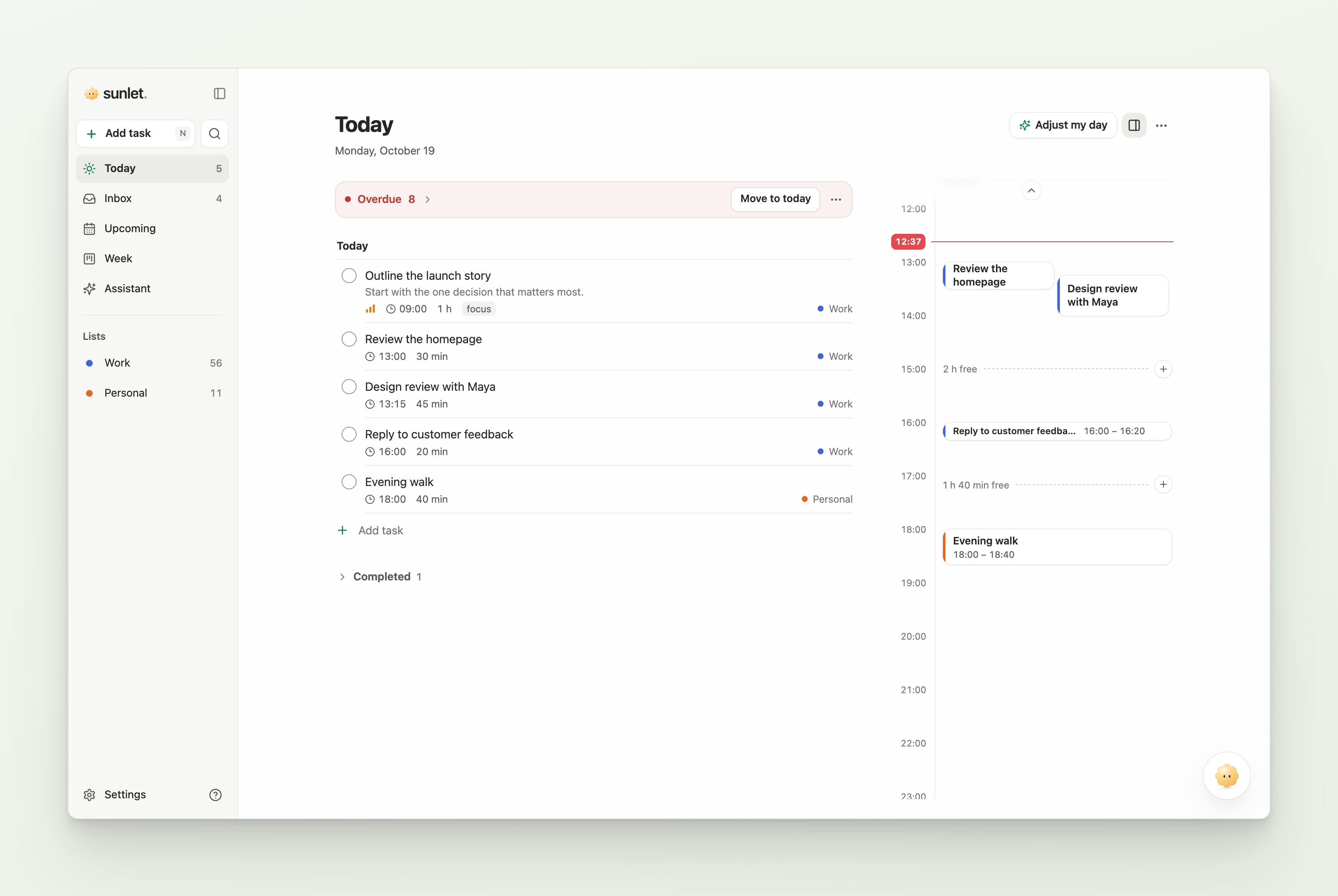
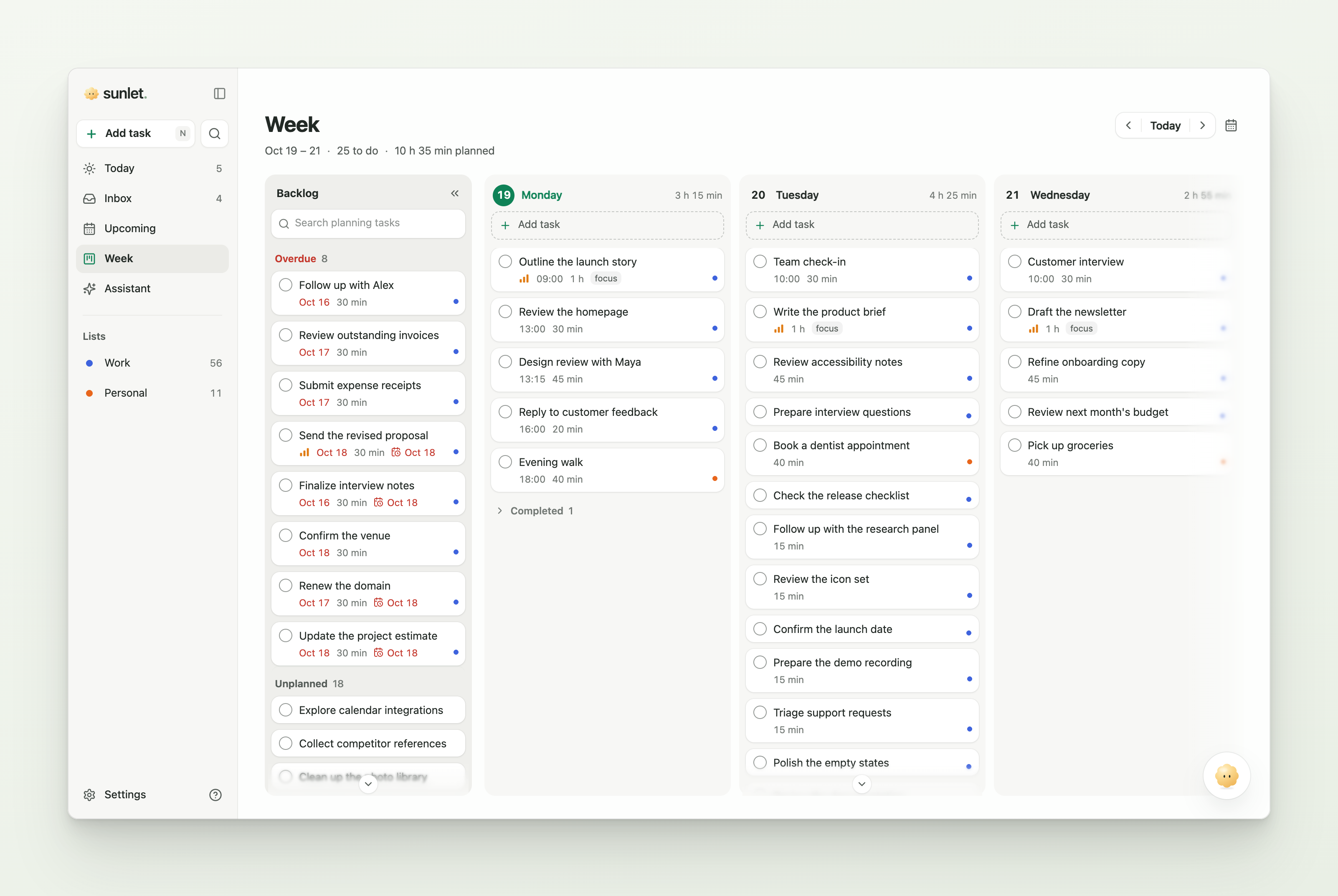
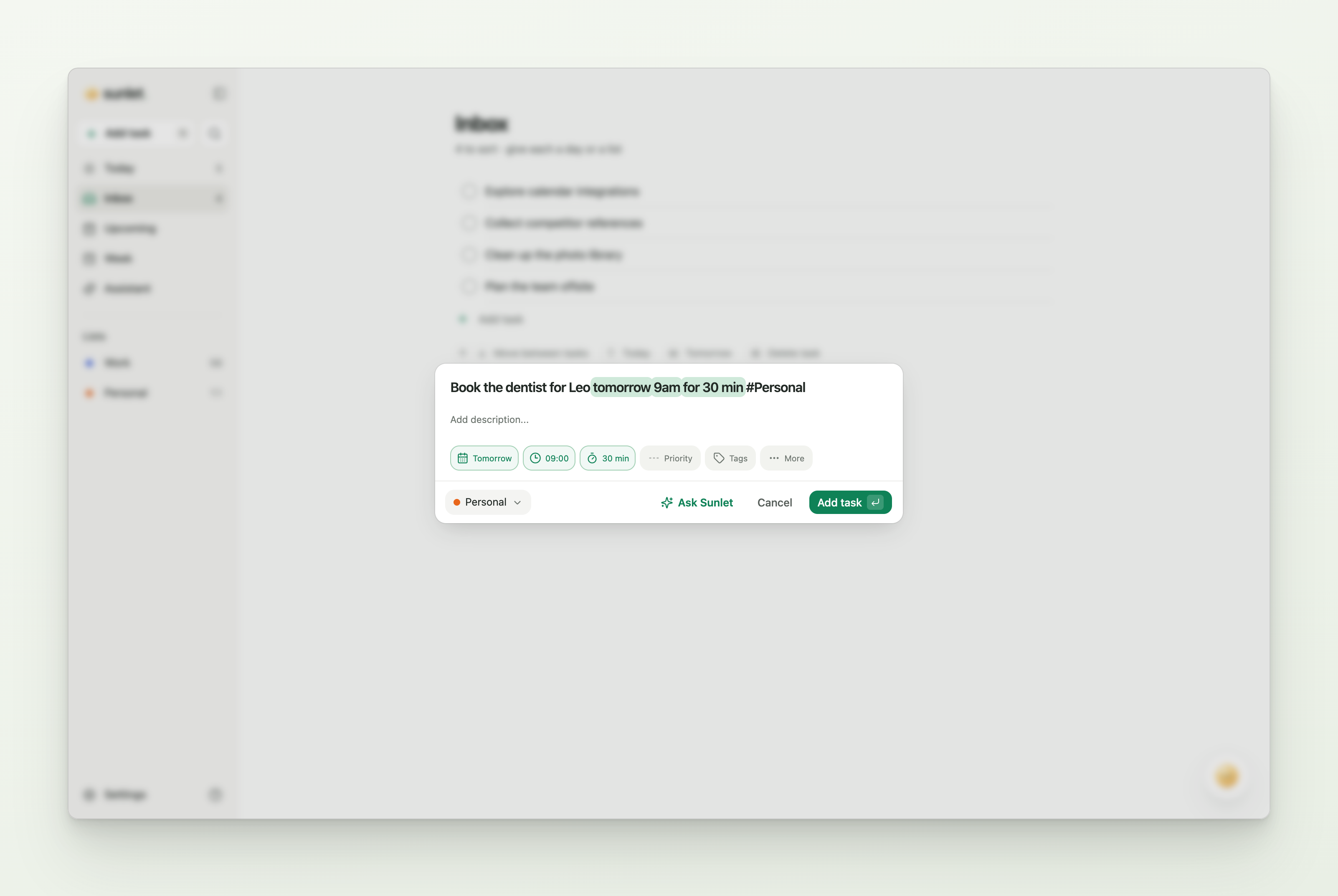
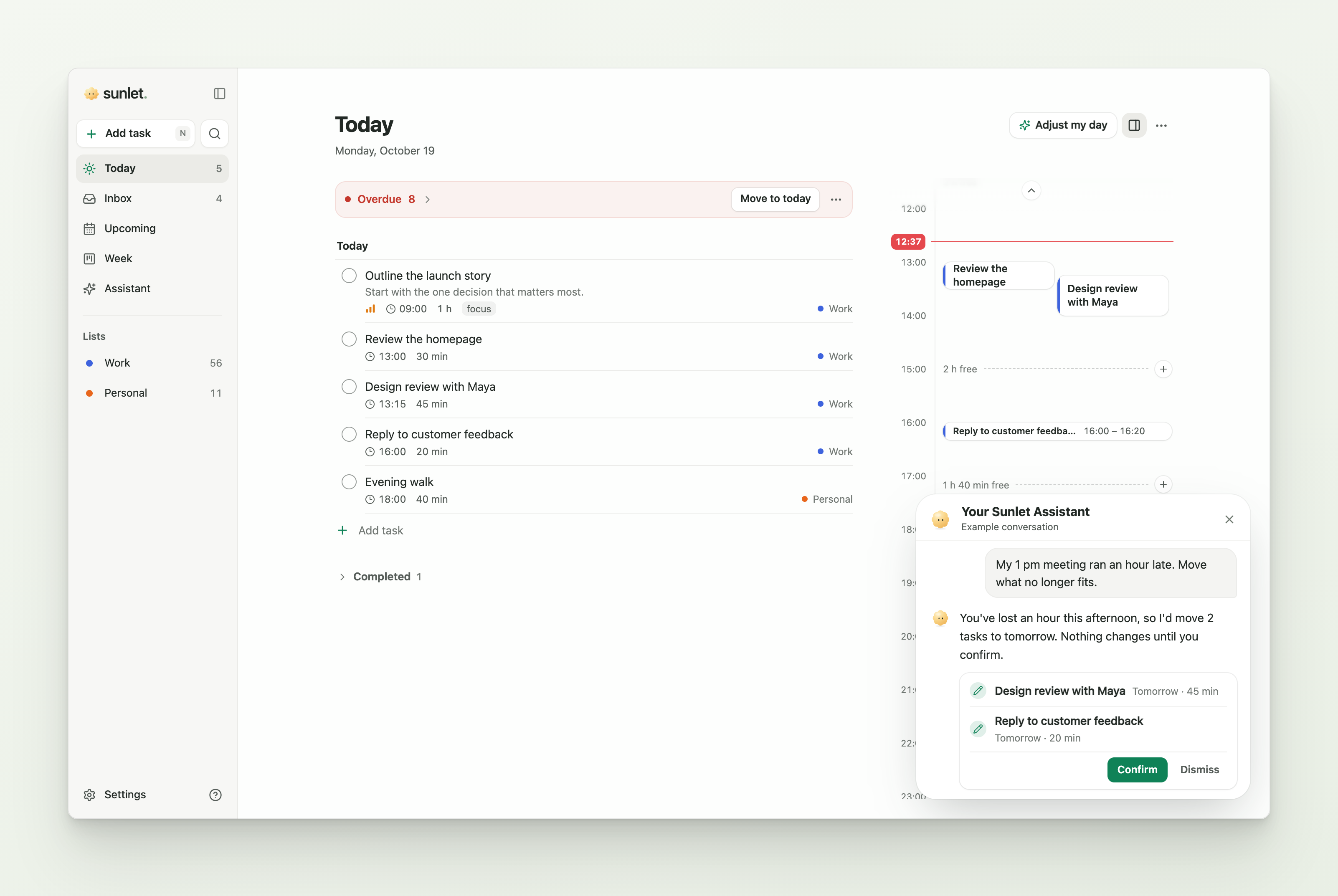
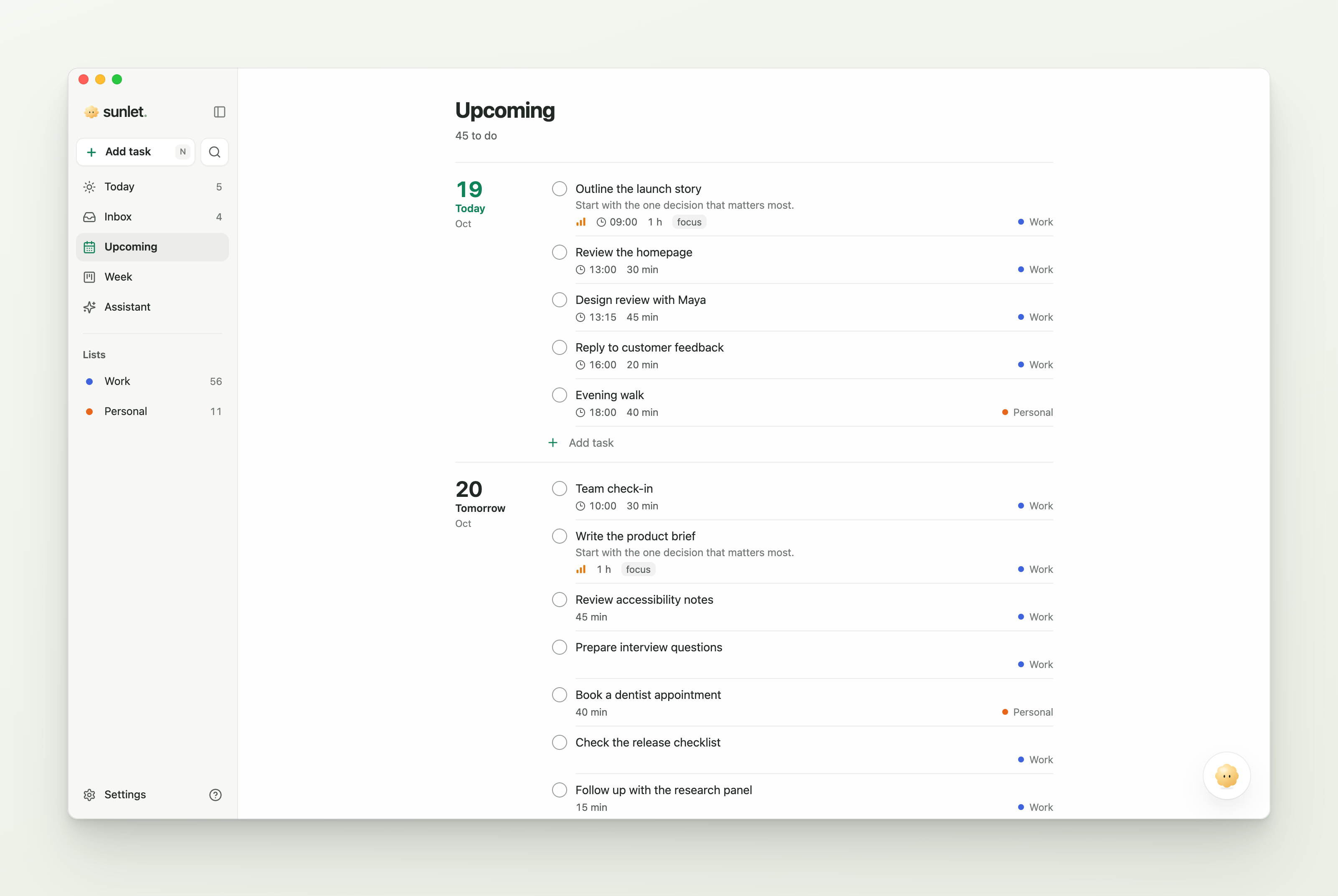
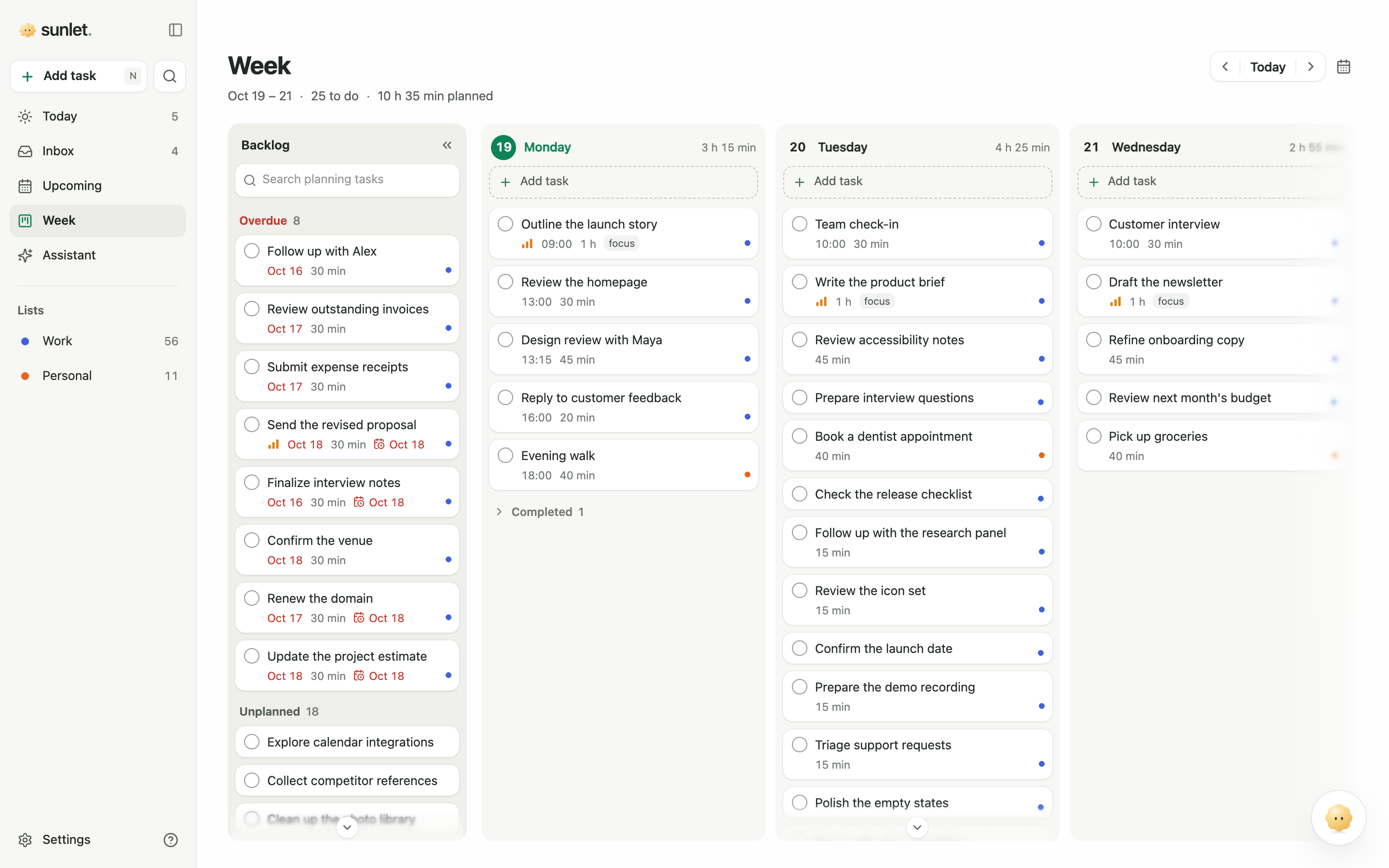
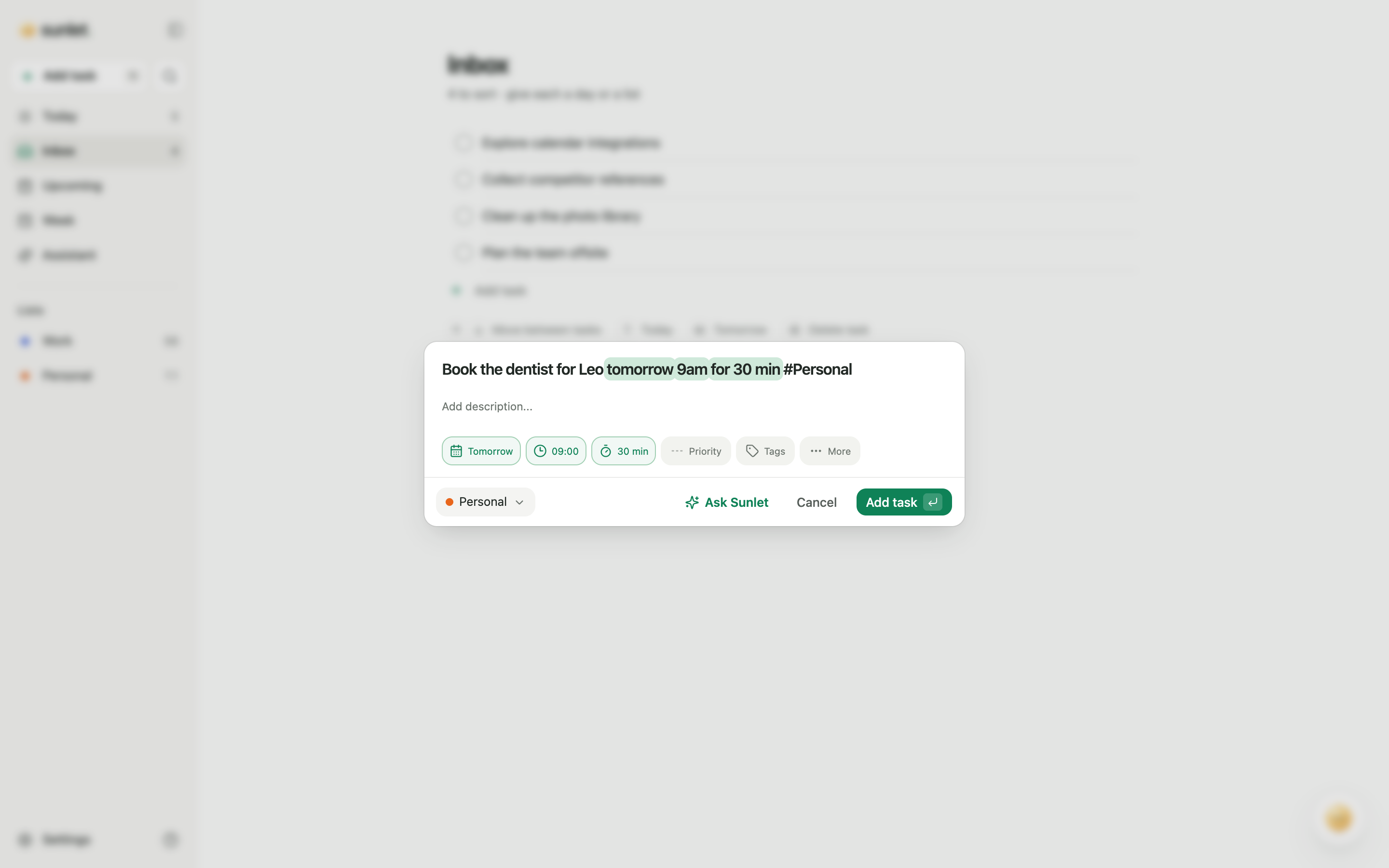
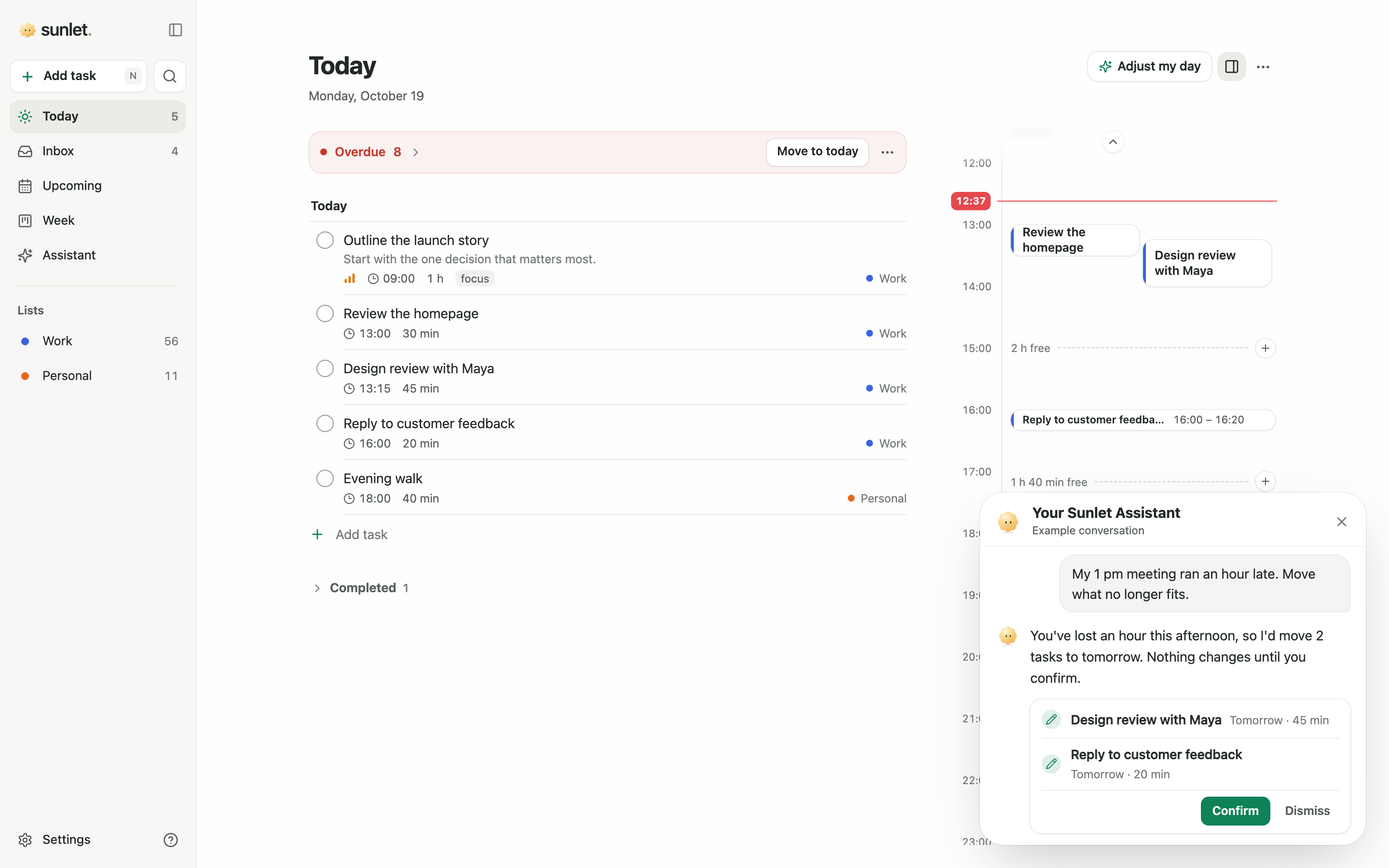
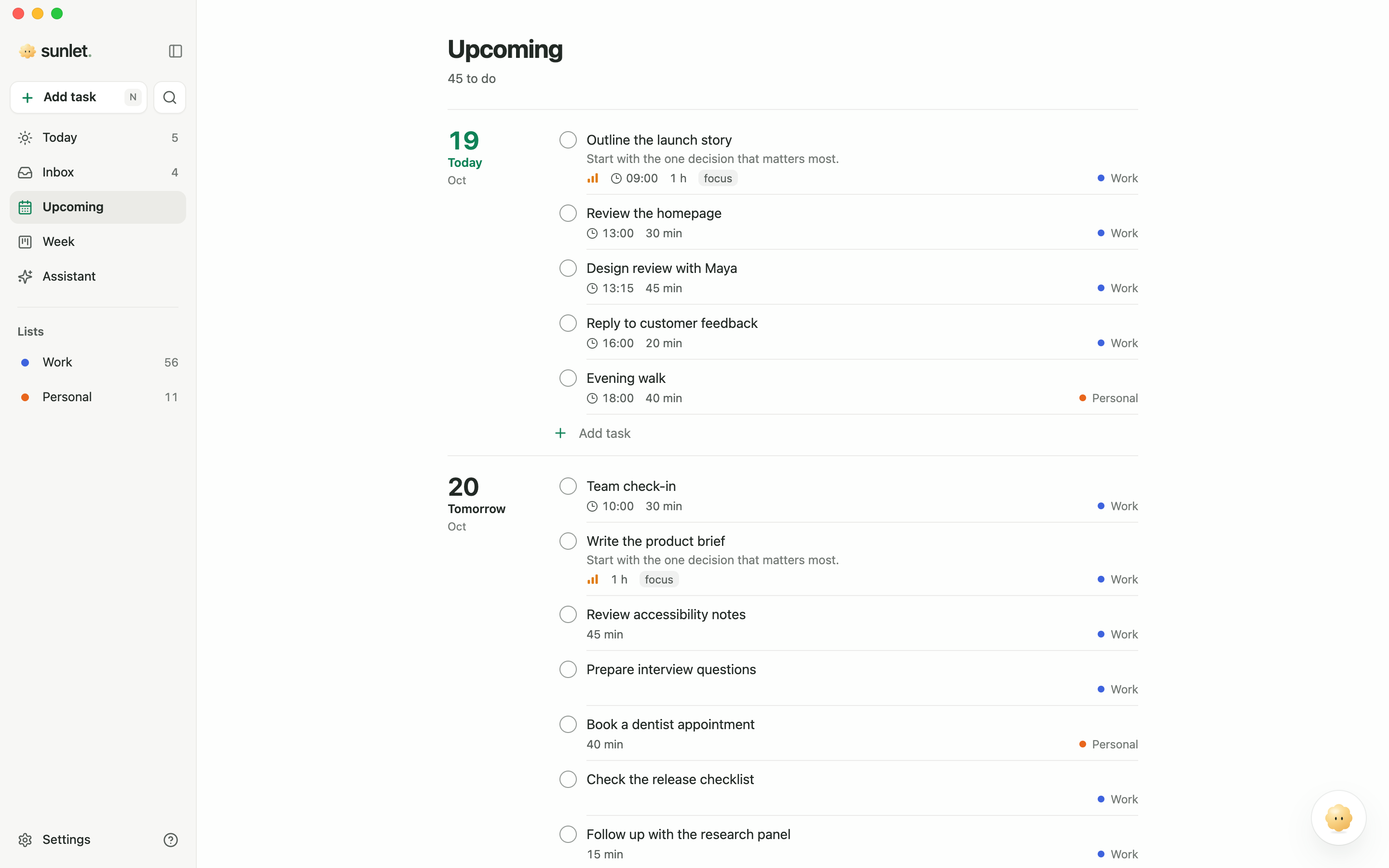
Sunlet is a calm, simple to-do list and day planner with an AI assistant. Type tasks the way you'd say them, see what fits today, and drag the rest across the week. When plans change, ask Sunlet to rework the day. It works in the browser and on Mac and Windows, with a free plan.
Longer description (about 100 words)
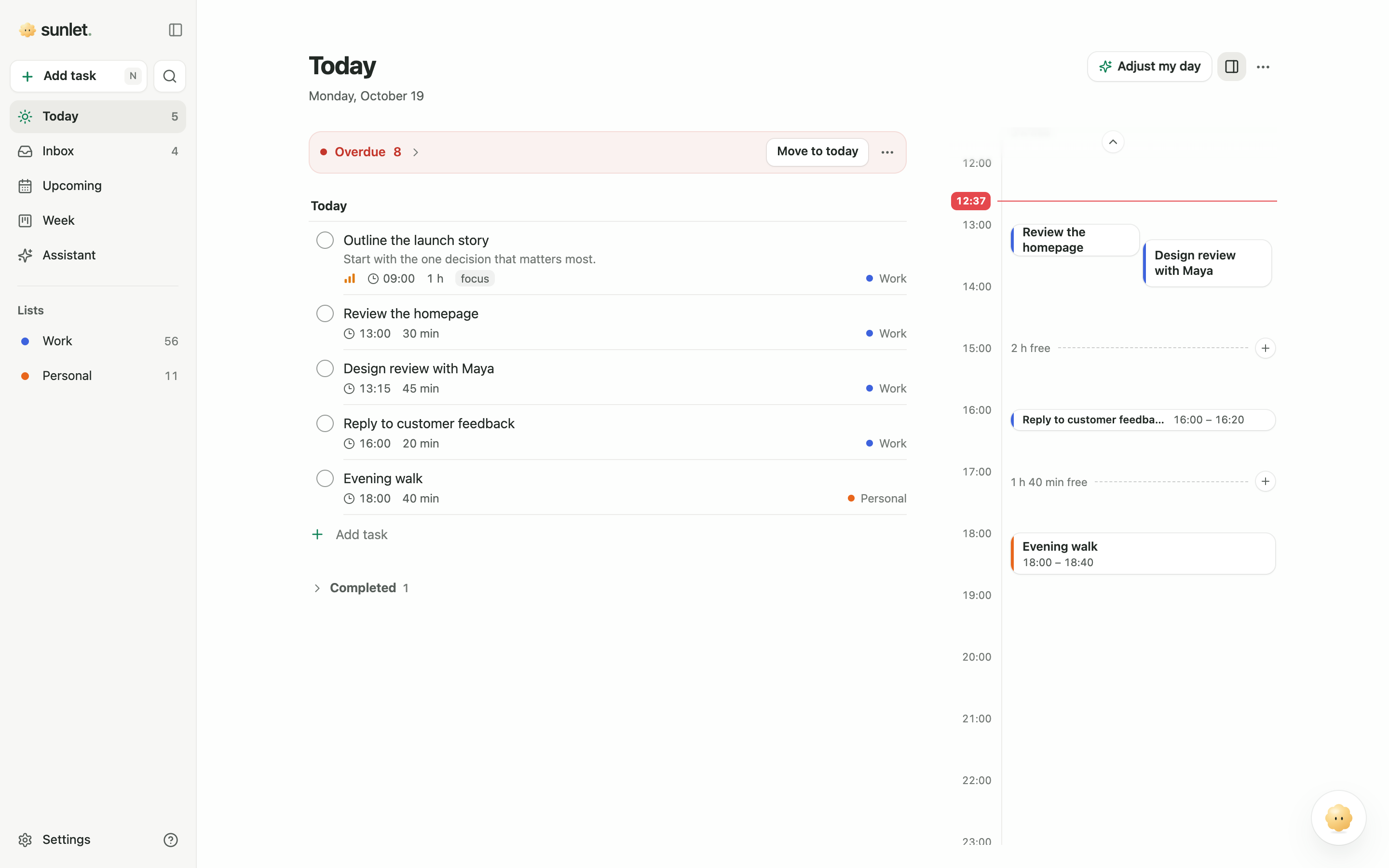
Sunlet is a calm, simple to-do list and day planner with an AI assistant. Type a task the way you'd say it, like “call the dentist tomorrow at 9am for 30 min”, and Sunlet fills in the day, time and length. Today puts your tasks next to a timeline that shows the time you have left, and Week lets you drag tasks between days. When plans change, ask Sunlet by typing or talking, and it suggests a new plan. Sunlet works in the browser and on Mac and Windows, syncs across devices, speaks 14 languages and has a free plan.
Screenshots
Retina PNGs from Sunlet's demo workspace. Open one at full size, or download it with or without its frame.
Logo and colors
Please don't recolor, stretch or redraw the sun. The icon and the sun are illustrations, so they come as large PNGs; the wordmark's lettering is vector.








Brand colors
- Forest
#315D4B - Ink
#222925 - Paper
#FDFEFD - Sage
#E8EFE9 - Sage dot
#88A88D - Sun
#FBD98E
Headlines are set in Georgia and the interface in the system font. Gold belongs to the sun; buttons and links are forest green.
Platforms
Web
The full planner in any modern browser. No install needed.
macOS
For Apple silicon Macs, with quick capture from any app and a home in the menu bar.
Windows
From the Microsoft Store, with quick capture from any app and a home in the taskbar.
iPhone & iPadComing soon
A native app is coming to the App Store. Until then, Sunlet can be added to the Home Screen from Safari.
Android
Installs from Chrome as an app, next to the other apps.
Claude
Use Sunlet from Claude: add this server URL as a custom connector, then ask Claude to save, find or plan your tasks.
ChatGPTComing soon
The Sunlet app for ChatGPT is in review with OpenAI.
Plans
A free plan with no time limit, no trial and no credit card, and two paid plans. Prices as on the pricing page.
Free
$0 per month
Free for as long as you like
- 3 lists and 100 open tasks
- 10 AI requests per calendar month
- No credit card required.
Sunlet Pro
$3 per month
Billed annually or $5 monthly
- 100 lists and up to 1,000 open tasks
- 100 AI requests per calendar month
- Voice Capture (30 min / month)
- Live conversation (5 min / month)
Sunlet Assistant
$10.89 per month
Billed annually or $15 monthly
- Everything in Pro
- 500 AI requests a month
- Voice Capture (60 min / month)
- Live conversation (60 min / month)
Facts
- Name
- Sunlet
- Website
- sunlet.app
- Founder
- Patryk
- Launched
- 2026
- Platforms
- Web, Mac and Windows. iPhone app coming soon.
- Languages
- 14: English, Deutsch, Español, Polski, Français, Italiano, Português, Português (Brasil), Nederlands, 日本語, Svenska, Norsk, Dansk, Suomi
- Pricing
- Free plan, plus Pro and Assistant plans
- Press contact
- hello@sunlet.app
Reviewing Sunlet?
Writers reviewing Sunlet can get a free account with the Assistant unlocked.
Email us